
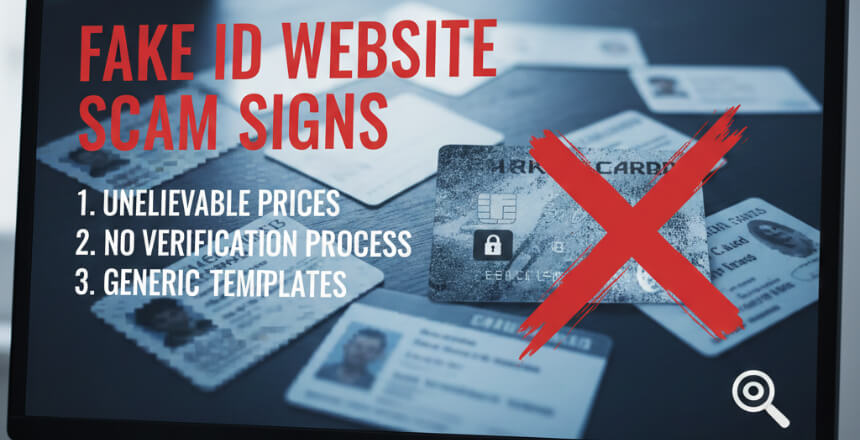
You land on a fake ID website.
It looks clean. It has "Verified Vendor" badges. It has 5-star reviews scrolling across the bottom. The support chat pings you: "Hey! 10% off if you order in the next 5 minutes." For more on this topic, see our guide on What is Fake ID Website. You can report suspicious websites to the FBI Internet Crime Complaint Center.
You think you're safe.
You're not.
You are currently standing in the middle of a sophisticated online scam. You can read more about this in Legit Fake ID Sites Scam Red Flags.
Here is the thing:
Most people think scams look like "scams." They expect typos, broken images, and sketchy layouts. But in 2026, scammers aren't just copying IDs. They are copying Amazon. Our guide on Fake ID Website Scams Fakeids goes deeper into this.
They know that if they can mimic the design of a legitimate e-commerce store, your brain triggers the "Halo Effect." You see a trust badge, you assume the site is safe. Learn more about this in our article on Fake ID Website Safety Guide.
And that is exactly how they steal your money and your identity.
The "Trust Signals" That Are Actually Traps
Why do you trust a website?
Usually, it's because of Social Proof. You see other people using it, so you assume it's safe.
Scammers leverage this by manufacturing fake reviews and sockpuppet accounts. When you see a "Verified" sticker or a glowing testimonial, your brain releases a little hit of dopamine.
But you need to practice Lateral Reading.
Don't read the "About Us" page. (They wrote it).
Don't look at the testimonials on their homepage. (They faked them).
Scammers use domain spoofing to create lookalike domains that almost match real brands. Always verify outside the site. If the only place people are calling it "trusted" is on the site itself, you are being played.
The "Sunk Cost" Squeeze (The Advance-Fee Scam)
This is the nastiest trick in the book, and it relies on the Sunk Cost Fallacy.
Here is the script:
- You order the ID. You pay via crypto or an irreversible payment method.
- Two days later, you get an email.
- "Your package is stuck. We need a $50 ‘refundable' customs fee or clearance fee to release it."
Your brain panics. You think, "I've already paid $100. If I don't pay this $50, I lose everything."
Stop.
So, how do you actually tell the difference?
You have to compare the "scam signs" against the industry standard. We cover this in more detail in Why Transparency Matters Novelty ID Industry.
Let's say you're smart. You don't send the extra money.
You think: "Well, I only lost $100. Lesson learned."
Wrong.
You lost something much more valuable. To make a fake ID, you gave them PII (Personally Identifiable Information):
- Your full name.
- Your date of birth.
- A high-resolution biometric photo.
- A photo of your signature.
You didn't just buy a novelty item. You just gave a criminal a "Starter Kit" for Identity Theft.
Scammers often don't even care about your money. They care about your data. They sell it on the dark web or use it for synthetic identity fraud. If you have already shared personal information with a suspicious website, IdentityTheft.gov provides a step-by-step recovery plan.
Massive Red Flag: If they ask you to "download" a special app or verification tool, run. That is likely an infostealer or credential harvesting malware designed to scrape your passwords and crypto wallets. The Dark Pivot: Extortion and Intimidation The FTC has taken action against dark pattern techniques that manipulate consumers into unwanted purchases.
I wish I was making this up.
But recently, we've seen a shift. Some scammers stop pretending to be sellers. Once they have your info, the tone changes. They know you were trying to do something "gray market," and they use that fear against you.
They might threaten to:
Report you to authorities. Leak your data online (doxing). Demand "hush money."
This is online blackmail and extortion. Sometimes it even evolves into sextortion if they tricked you into sharing compromising photos for "verification." The "Am I Screwed?" FAQ (Real Questions I Get Asked)
- I know you probably have some specific panic-questions right now. Let's answer them.
- They emailed me saying the FBI/Police seized my package and I have to pay a fine. Is this real?
No. This is the number one scare tactic. Police do not email you asking for Bitcoin fines. Scammers use "Authority Bias" to make you freeze up and pay. Delete the email. I sent them my photo and signature. Can they really steal my identity?
Probably not. It takes effort to find your boss. They are sending that same threat to 5,000 other people today hoping 50 of them pay. Do not pay. If you pay once, they will never stop asking. Damage Control: What To Do If You Already Paid
Okay, so you read this and realized: "Uh oh. I did this."
Don't panic. But do not wait. Here is your Identity Recovery checklist:
- Cut Contact. Do not reply. Do not pay the "clearance fee." Do not negotiate.
- Lock Your Identity.
- US: Go to IdentityTheft.gov. Place a credit freeze with Experian, TransUnion, and Equifax.
- UK: Contact akei and consider Cifas protective registration.
- Report the Site. Submit the URL to Google Safe Browsing and legitimate fraud reporting portals.
Scrub Your Passwords. If you used the same password on their site as your email, change it immediately. The Bottom Line
The internet is a negotiation.
They want your money and data. You want a product.
But if you see payment fraud triggers (like refusal to use escrow or standard disputes), urgency countdowns, or intimidation, the negotiation is rigged.
Frequently Asked Questions
What are the biggest red flags of a fake ID scam website?
Major red flags include unrealistically low prices, promises of overnight delivery, no verifiable contact information, accepting only irreversible payment methods, recently created domains, copied website designs, and testimonials that sound too generic or perfect.
How do fake ID scam websites steal money?
Scam sites collect cryptocurrency or wire payments, then either never deliver anything, send a worthless low-quality card, or simply stop responding. Because payments are irreversible, victims have no way to recover their money.
Can I get a refund from a fake ID scam website?
Almost never. Scam vendors use cryptocurrency and other irreversible payment methods specifically to prevent chargebacks and refunds. Once the payment is sent, there is no mechanism to recover funds from an uncooperative vendor.